
ChatGPT launched “Businesses in ChatGPT” and the Business Hub on November 10th.
It seems similar to something like a Google Business profile.
I asked ChatGPT for a concise step-by-step on how to submit a business, this is what it told me:
- Open Business Hub: Visit ChatGPT Business Hub and sign in.
- Search for your business: Find their business by name and select the correct listing.
- Claim the business: Select the option to claim it and confirm the account managing it.
- Verify ownership/authorization: Use one of the available methods:
- Business email verification
- Phone verification
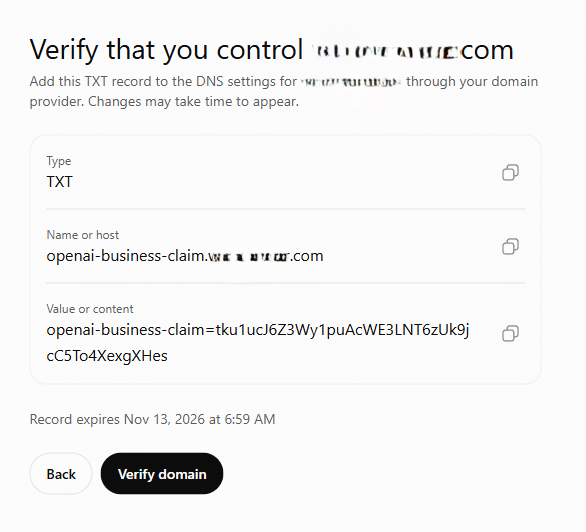
- Website DNS TXT record
- Shopify integration (if applicable)
- Complete identity verification: After claim approval, complete Persona verification. You may need proof that you’re authorized to represent the business.
- Optimize the listing: Once approved, update the business description, website, category, services, logo, and other available details.
- Monitor performance: Business Hub provides insights into ChatGPT mentions, website clicks, and discovery topics. OpenAI Help Center+1
I’ve walked through this a few times already to confirm those instructions.
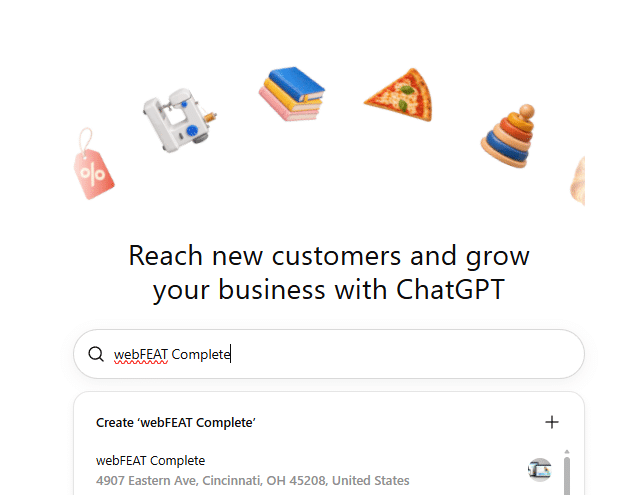
If your business isn’t findable in their database, you can create a listing. I verified via DNS record and it worked quickly. With that, you get a dashboard, and you can complete the identify verification there. And then make improvements.
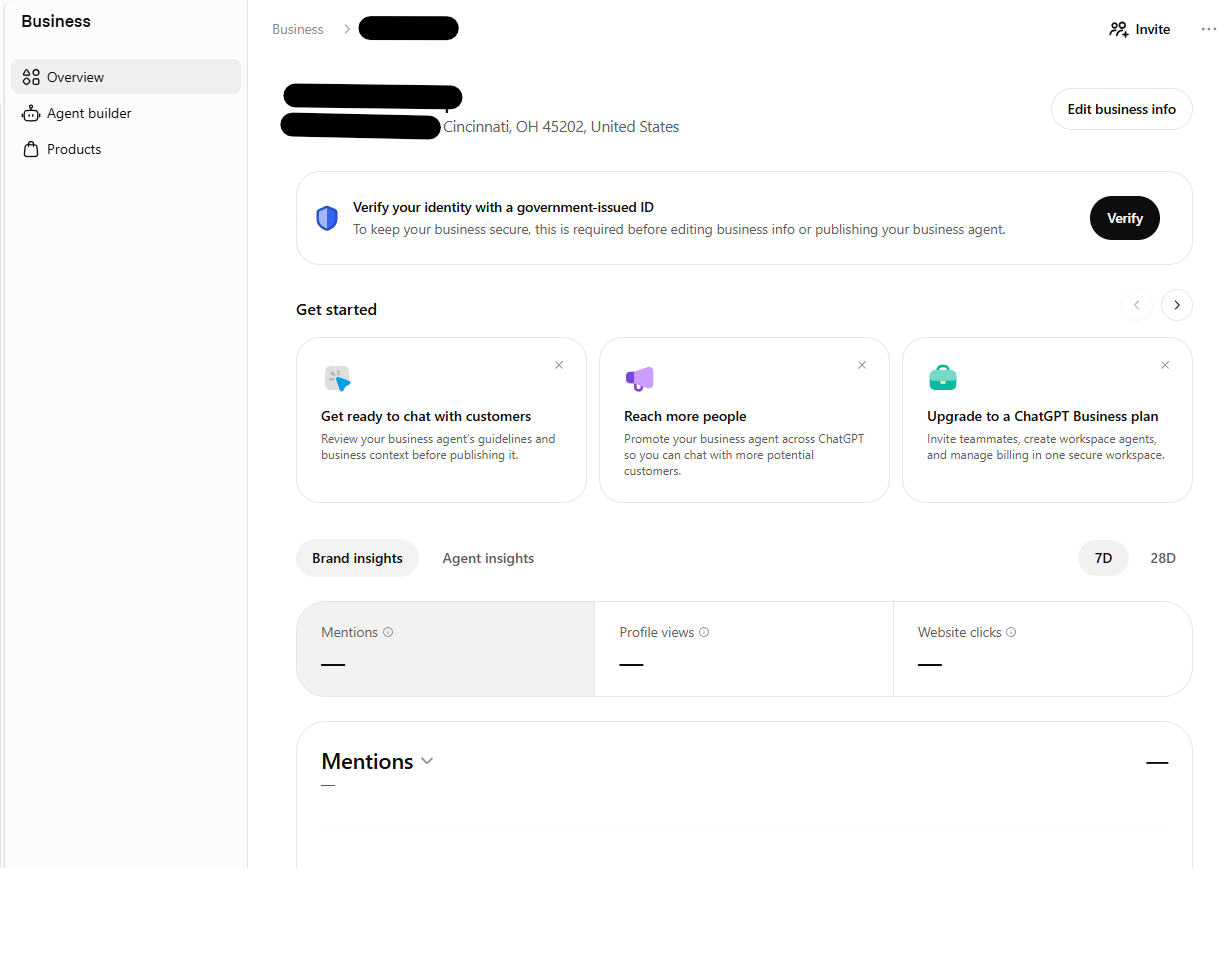
I will update this post once we’ve had a chance to explore, optimize, build data, and see the influence that this has.
Want us to navigate ChatGPT Business Hub for you?
We promote businesses in AI chatbots, including ChatGPT. We can explore naturally appearing more often in prompt responses, ads, business hub, and more pertaining to marketing businesses and leveraging AI.
Image created with the help of Google Gemini